Path Set For Java And Javac (Java Compiler ). If You Save Java Source File In Jdk/Bin Directory Then No Need Path Setup But If You Save Another Directory Then You Need To Path VAriable Set In This Way For Permanent Path .
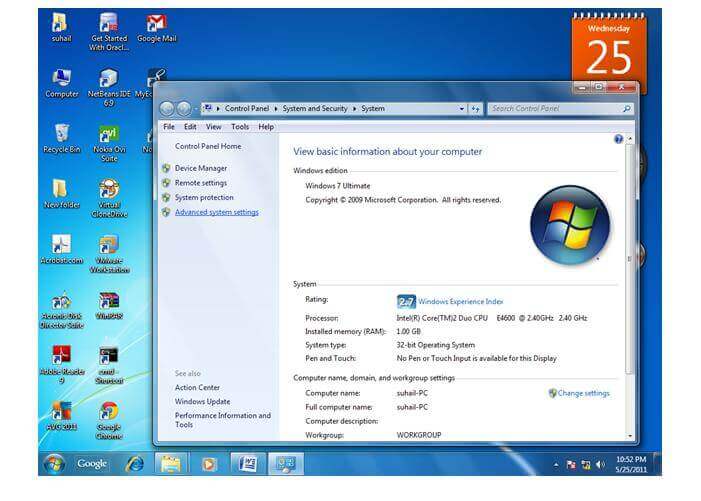
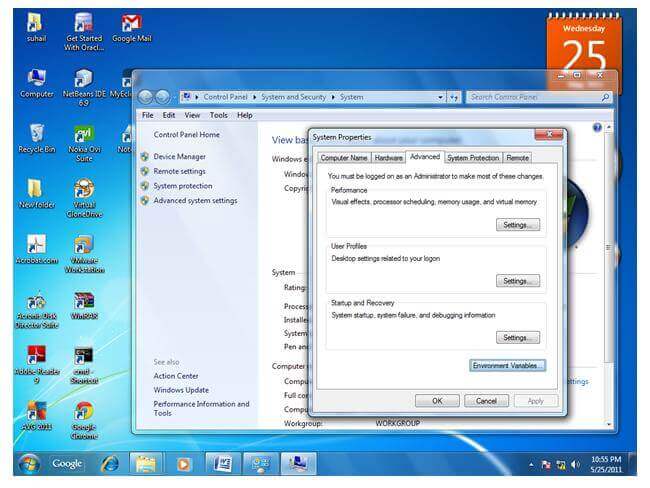
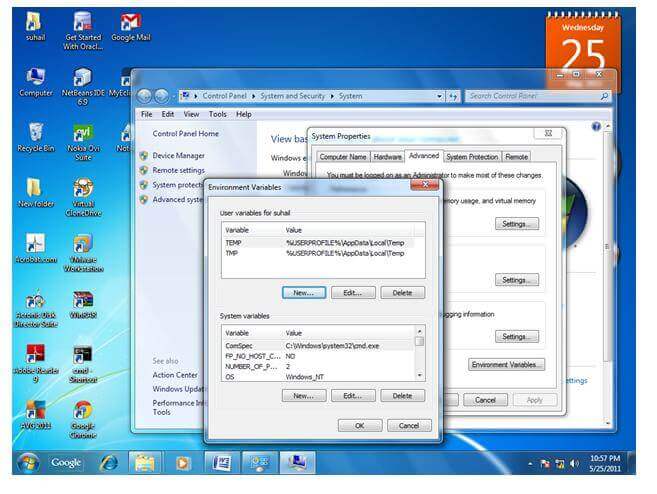
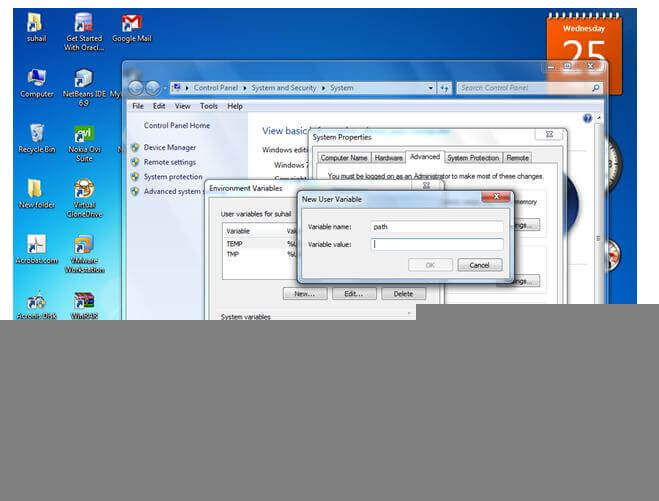
MyComputer properties -> advanced tab -> environment variables -> new tab of user variable -> write path in variable name -> write path of bin folder in variable value -> ok -> ok -> ok
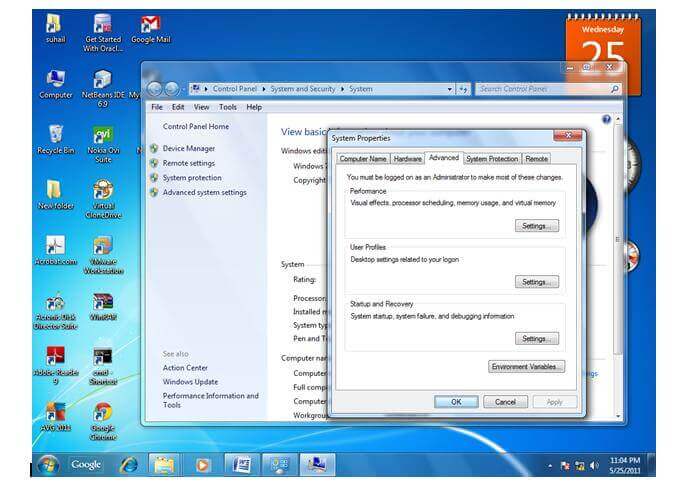
1) Go to MyComputer properties
2) Click on the advanced tab
3) Click on environment variables
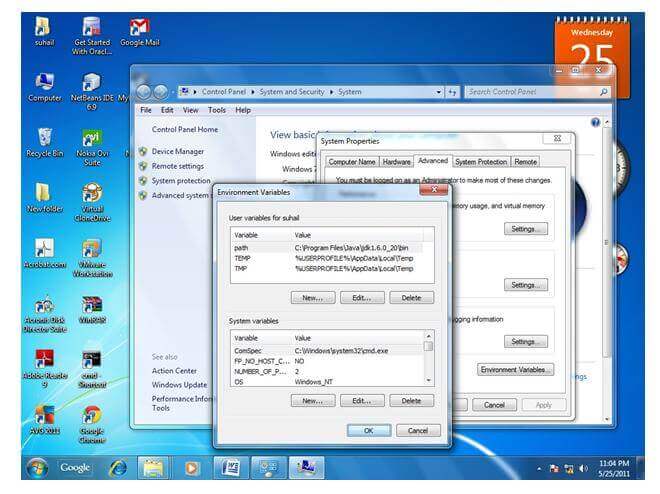
4) Click on the new tab of user variables
5) Write the path in the variable name
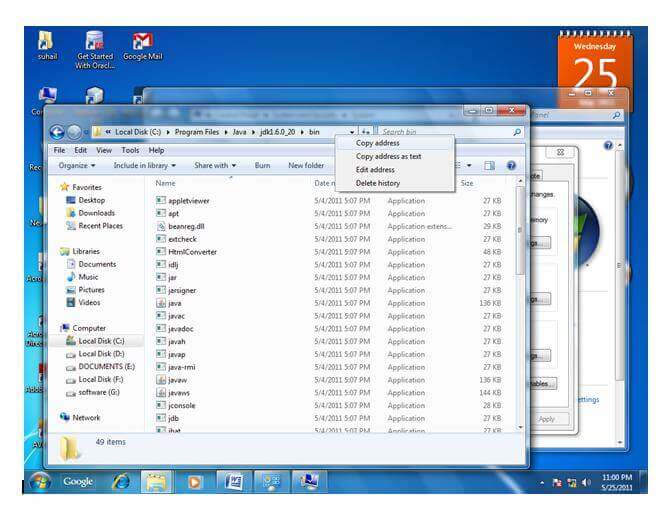
6) Copy the path of bin folder
8) Click on ok button
9) Click on ok button
Now your permanent path is set. You can now execute any program of java from any drive.
1 Open Eclipse With Your Eclipse WorkSpace
2. File -> New -> Java Project ->Project Name (Example Name As Student )And Next And Finish
3. Create Java Class And Fill Source Folder Student/src. Package Name Your Choice Example student.name.And Class Name example Student.ok
4 Implement Main Method And Main Function For Output.


 OLEETECH